

Large Format Printing DPI: What Resolution You Need
Posted by Deeder Dandenhorf on Oct 24th 2026
Large Format Printing DPI: What Resolution You Need

For most large format prints, you need far less than 300 DPI. A banner, trade show graphic or poster that people view from several feet away usually looks sharp at 100 to 150 pixels per inch, and big outdoor pieces can go lower. The right number depends on how far away your audience stands, how large the print is and what kind of artwork you are sending. This guide walks through each of those so your next file goes to print right the first time.
TL;DR
- DPI describes the printer’s output, while PPI describes your file. When you prepare artwork, PPI at full print size is the number to check.
- Match resolution to viewing distance: roughly 200 to 300 PPI for close-up work, 100 to 150 PPI for banners and displays seen from several feet, and 50 to 100 PPI for outdoor pieces seen from 20 feet or more.
- Going above 300 PPI on a big print adds file size, not visible quality.
- Use vector artwork for logos and text, and calculate effective resolution at full size before you upload.
- Send us your file and we will review it before it prints, with most products shipping within two business days.
Table of Contents
- DPI vs. PPI: the difference that trips people up
- Why 300 DPI is the wrong default for big prints
- What resolution to use by viewing distance
- Vector or raster: the choice that avoids the problem
- How to check effective resolution
- What to do when your image is too small
- Balance sharpness and file size
- Our perspective: what we see in customer files
- Ready to print? Start with your artwork
- A quick pre-flight checklist
- FAQ
- Sources
DPI vs. PPI: the difference that trips people up
The two terms get swapped constantly. According to HP’s large format best practices, DPI is the printer’s output resolution, meaning how many ink dots it places per inch, while PPI is the resolution of your digital file. When you prepare a file, the two work on a 1:1 ratio, so in practice you set the PPI and the printer takes it from there.
What this means for you:
- When a print shop asks for “100 DPI at full size,” it wants your image to contain 100 pixels for every inch of the finished print.
- A printer’s own spec (for example, a machine that lays down very fine dots) says nothing about how many pixels your artwork needs. Those are separate numbers.
- The setting in Photoshop or Illustrator is only a label. What matters is the pixel count divided by the print dimension in inches.
Why 300 DPI is the wrong default for big prints
The 300 DPI rule comes from small printed pieces such as brochures, business cards and magazines, which people hold a foot or so from their eyes. The human eye can only pick out so much detail from a distance, so a larger print viewed from farther back needs fewer pixels per inch to look the same to the viewer. HP’s guidance says the minimum for large format work is around 100 dpi, compared with the traditional 300 for smaller jobs.
Designers who default to 300 PPI on a large banner create a problem without gaining anything. HP notes that this produces huge files that can slow down RIP software, with no visual benefit at typical viewing distances. Here is what that looks like in numbers, using a 4 ft by 8 ft vinyl banner (48 by 96 inches):
| Resolution at full size | Pixel dimensions | Approx. megapixels |
|---|---|---|
| 50 PPI | 2,400 x 4,800 | 11.5 |
| 100 PPI | 4,800 x 9,600 | 46 |
| 150 PPI | 7,200 x 14,400 | 104 |
| 300 PPI | 14,400 x 28,800 | 415 |
Those are our own calculations from the banner dimensions. The jump from 100 to 300 PPI multiplies the pixel count by nine. Few computers handle a 415-megapixel Photoshop file comfortably, and the banner will look the same to someone standing across an aisle.
What resolution to use by viewing distance

Viewing distance is the variable that matters most. The Ghent Workgroup, which publishes specifications for sign and display printing, covers everything from photo prints and roll-up banners to huge billboards. Viewing distances across that range run from about half a meter for detailed photo prints to around 50 meters for highway billboards.
HP’s 2026 guidance gives these working ranges:
| Viewing distance | Typical use | Target resolution at full size |
|---|---|---|
| Under 2 ft | Fine art, close-up displays | 200 to 300 PPI |
| 5 to 10 ft | Posters, banners | 100 to 150 PPI |
| 20+ ft | Outdoor banners | 50 to 100 PPI |
For billboards the numbers drop much further. The Outdoor Advertising Association of America’s production specs indicate that an effective resolution as low as 18 to 25 PPI at full size can still look crisp from a distance.
Where trade show graphics fall
Trade show pieces sit in a middle zone. A retractable banner stand or tension fabric display is seen first from across the aisle and then from a few feet away by anyone who walks up to it. Our rule of thumb is to aim for 100 to 150 PPI at full size for the main graphic and to push photographic areas toward the higher end if people will stand close to them. Small text near eye level is where weak files show first, which is another reason to keep text as vector artwork.
Where banners and signs fall
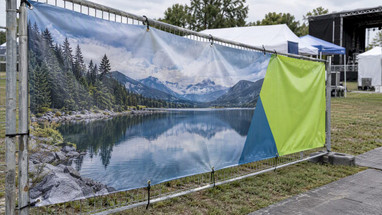
A vinyl banner hung on a fence or building is usually read from 10 feet or farther, and the bigger it is, the farther away the viewer typically stands. That is why 70 to 100 PPI is workable for many large outdoor banners. If you want the detailed version for different banner sizes, our guides on DPI for large banners and banner DPI requirements go through the ranges and show how a very low PPI can still work at 50 feet.
Vector or raster: the choice that avoids the problem
The simplest way to dodge resolution limits is to use vector artwork wherever you can. The OAAA guidance recommends vector elements for logos and fonts because they are drawn mathematically and stay sharp at any size. Raster images, such as photographs, still need enough native resolution before they are enlarged.
A practical split:
- Vector (AI, EPS, PDF with live paths): logos, text, icons, simple shapes and illustrations. Keep text live or outlined.
- Raster (JPG, PNG, TIFF, PSD): photographs and textures. Check effective PPI at full size.
- Logos pulled from a website: usually small raster files at 72 PPI or lower. Ask your designer for the original vector file instead of enlarging a web graphic.
How to check effective resolution
Do this before every upload. It takes two minutes.
- Find the final print size in inches. A 3 ft by 6 ft banner is 36 by 72 inches.
- Find the image’s pixel dimensions. In Photoshop, use Image > Image Size and turn off resampling.
- Divide pixels by inches. A photo that is 3,600 pixels wide, printed 36 inches wide, is 100 PPI.
- Compare to your target. If it sits within the range for your viewing distance, you are fine.
- Check scaled files. If your layout was built at less than full size, the resolution drops when it is scaled up. The OAAA notes that you divide the raster resolution by the scale factor, so a file made at half scale has half the effective resolution at full size.
A worked example: you build a 10 ft wide backdrop at 1/10 scale (12 inches wide) with a 300 PPI photo. At full size, that photo is effectively 30 PPI. It might be acceptable for a billboard-style view from far away, but it will look soft on a trade show wall.
What to do when your image is too small
Sometimes the only image you have is low resolution. You have a few options, in order of preference:
- Find a better source. Ask the photographer for the original file or check a stock library for a larger version.
- Upscale gradually. HP’s design team suggests enlarging in steps of 10 to 20% instead of one big jump, and using a detail-preserving resampling method such as Photoshop’s Preserve Details 2.0.
- Change the design. Use the weak image smaller, put it behind a color overlay, or give it a background role while text and logos carry the message.
- Print it smaller. A 2 ft graphic can use an image that would fall apart at 6 ft.
None of these will add real detail that was never captured, so judge the result at the distance your audience will actually see it.
Balance sharpness and file size
The goal is not the highest number but the lowest resolution that still looks good where people stand. Experts working to the Ghent Workgroup’s specifications treat that balance as the mark of a professional workflow. Keeping files manageable also helps everyone downstream: faster uploads, fewer crashes and quicker proofing. If you want a broader look at why resolution affects how images perform in commercial settings, this overview of image resolution for commercial use pairs well with the print-specific numbers here.
Our perspective: what we see in customer files
We handle banner and display files every week, and the same pattern repeats. The most common problem is not a file that is too small by a little. It is a logo grabbed from a website, or a layout built at a fraction of full size with nobody checking the math. The second most common is the opposite: a 400 MB file at 300 PPI that nobody needed.

Our advice is to decide on the viewing distance first, then the resolution. For a banner stand in a convention hall, think about the aisle. For an outdoor fence banner, think about the road. Keep logos and headlines as vector art, give your photos a sensible 100 to 150 PPI at full size, and you will rarely have a problem. If you are unsure, upload what you have and we will tell you whether it will hold up. We would rather talk about a file before printing than after.
Because trade show deadlines are tight, we built our process around speed. Most of our products ship within two business days, and if your event is in Arizona we can deliver direct to your venue.
— Dan
Ready to print? Start with your artwork
If you have your file ready, you can upload your artwork and we will take it from there. Here is how our offer lines up with what you have read:
- Printed banners: custom vinyl banners for indoor and outdoor use. A standard banner layout is $35, and Next Day Air is $10 when you are up against a date.
- Banner stands and EZ Tube tension fabric displays: for trade show graphics that people view from the aisle and up close.
- Quick Ship displays: for shorter lead times before an event.
If you are choosing between banner types for an event, our guide to choosing vinyl banners for trade shows can help you match size and material to your booth.
A quick pre-flight checklist
Run through this before you hit upload:
- Final print size is confirmed in inches or feet.
- Viewing distance is decided and the target PPI is chosen from the ranges above.
- Logos and text are vector, or are raster at the target PPI or higher.
- Photos have been checked at full size, not zoomed on screen.
- Any scaled mockup has been recalculated for full-size resolution.
- Fonts are outlined or embedded, and colors are set for print.
- Files are not much larger than they need to be.
FAQ
What is the best DPI for large format printing?
There is no single best number. A common minimum for large format is 100 DPI, and 100 to 150 PPI at full size works well for most banners and displays. Go higher for close-up pieces and lower for pieces seen from far away.
Is 300 DPI necessary for banners?
No. Banners are viewed from farther away than brochures, so the eye cannot pick out the extra detail. A 300 PPI file at banner size is also very large and can slow down processing without improving how the print looks.
Is DPI the same as PPI?
They are often used interchangeably, and when you prepare files they share a 1:1 ratio. Strictly, DPI is the printer’s output and PPI is your file’s resolution. For artwork, check PPI at full print size.
Can I enlarge a small image for a big print?
Sometimes. Enlarging in small steps with a detail-preserving method gives better results than one big jump, but it cannot invent detail. Check the result at the distance your audience will stand, and use a better source image if the photo is a focal point.
Sources
- HP: Large Format Printing Best Practices (US)
- HP: Large Format Printing Best Practices (UK)
- HP: What image resolution delivers best large format prints
- HP: Photoshop DPI for large format prints
- OAAA: Preparing your print file
- Ghent Workgroup: Sign & Display