

How Rush Print Orders Work: A Complete Guide
Posted by Deeder Dandenhorf on Aug 6th 2026
How Rush Print Orders Work: A Complete Guide
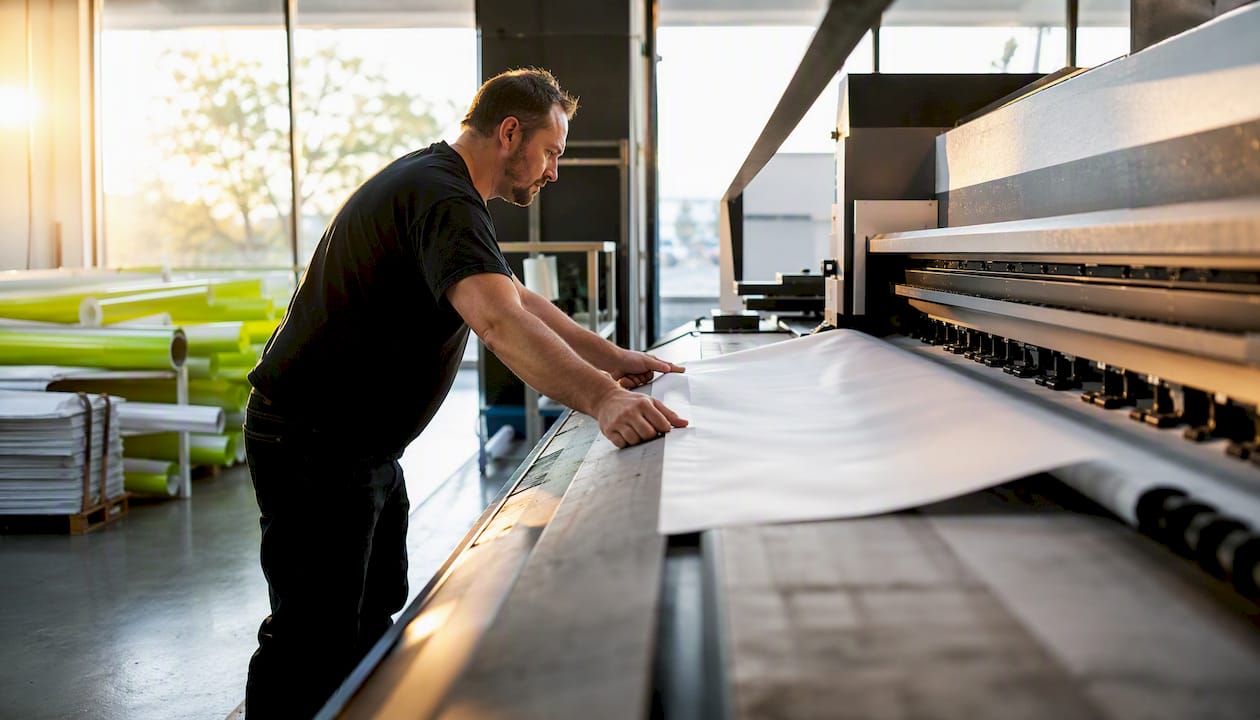
A rush print order is an expedited job built around one fixed point: your in-hands date. Every decision the shop makes, from scheduling press time to booking a carrier, works backward from that date. According to Print & Promo Marketing, 28% of distributor orders require five-day or less turnaround, which means rush printing is not an exception — it’s a standard operating mode for most shops.
Here’s the short version of how it runs:
- Confirm your in-hands date and work backward to set the order deadline
- Verify press time and stock availability before committing to a timeline
- Approve your proof within the assigned window (often 4 business hours or less)
- Production and finishing are prioritized ahead of standard queue jobs
- Expedited shipping or local pickup closes the gap between production and your event
Three things most often determine whether a rush can actually be met: approval speed, material availability, and whether rush fees are understood and accepted upfront.
Table of Contents
- What counts as a rush print order?
- What are realistic turnaround timelines by product?
- What do printers need from you for a rush order?
- How does the rush-order workflow run inside the shop?
- What causes rush orders to fail, and how do you prevent it?
- How do you place a rush order without delays?
- A real example: meeting a 48-hour in-hands date
- Key Takeaways
- Why clear in-hands planning is the only way to run a rush
- Arrowhead Sign Company - Signs, Banners and Trade Show Displays: fast fulfillment for your next event
- Further reading and useful sources
What counts as a rush print order?
“Rush” is not a single speed. Shops typically define it in tiers, and each tier carries real limits on quantity, method, and finishing complexity.
- Same-day: Possible for simple flat prints (postcards, flyers, basic vinyl banners) in small quantities. No laminating, no sewing, no complex finishing.
- 24–48 hours: The most common rush window. Works well for vinyl banners, retractable banner graphics, foam board signs, and basic outdoor frames. A product like the Outdoor Banner Frame - The Banner Bar fits this tier when graphics are print-ready.
- 3–5 business days: Covers most trade-show fabric displays, A-frame sidewalk signs like the Signicade Deluxe A-Frame Sidewalk Sign, and moderate-quantity apparel. A 10 ft stretch fabric display typically falls here, since fabric printing and frame assembly add steps that flat printing skips.
- Emergency (1–2 days): Reserved for digital-press items only. Expect the highest surcharges and strict quantity caps.
The in-hands date is the anchor for all of this. A shop converts your in-hands date into an internal ship date, then into a production start time. If your event is Thursday morning and you need the display Wednesday evening, the shop’s ship date is likely Monday or Tuesday, depending on carrier transit. That reverse calculation is where rush orders either succeed or fall apart.
What are realistic turnaround timelines by product?
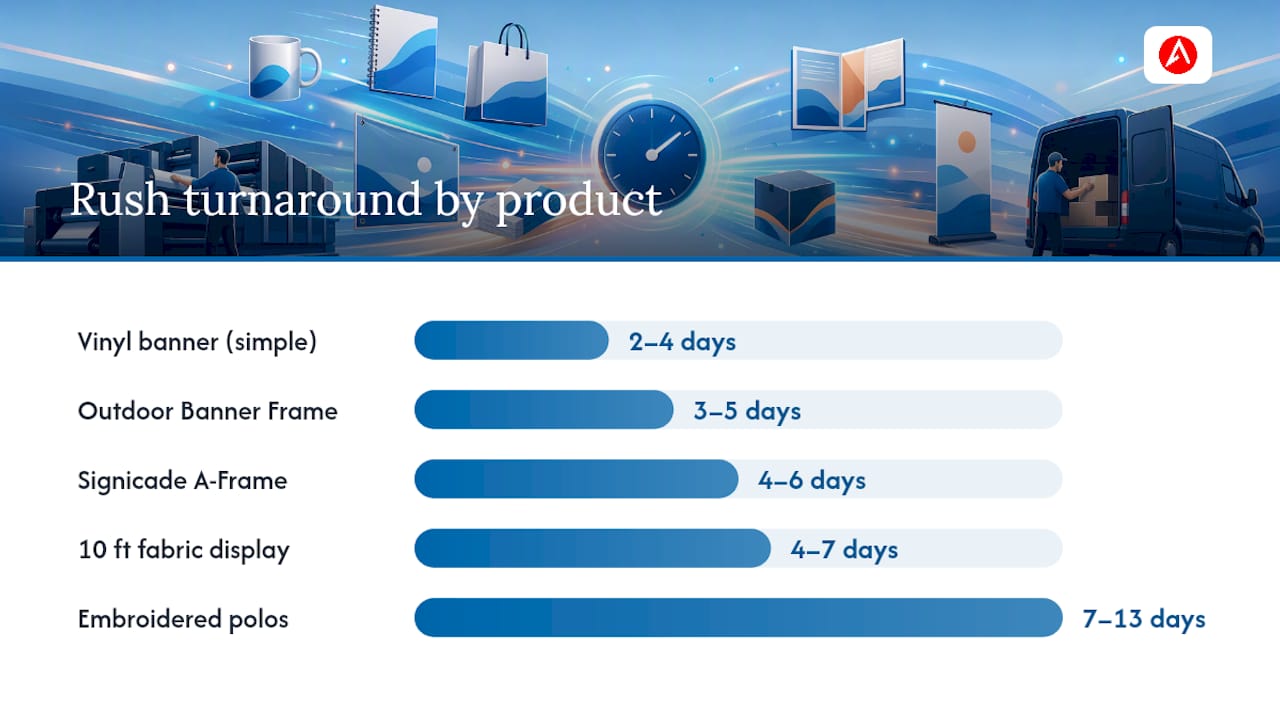
Production time and transit time are two separate clocks. A 48-hour production window plus two-day ground shipping equals four days in-hands, minimum. Trade-show items follow a tiered turnaround model — fast items in a few business days, moderate items in about a week or more, and custom hardware or embroidered goods in several weeks.
| Product | Production (rush) | Typical transit | In-hands minimum |
|---|---|---|---|
| Vinyl banner (simple) | 1–2 days | 1–2 days | 2–4 days |
| Retractable banner graphic | 1–2 days | 1–2 days | 2–4 days |
| Outdoor Banner Frame - The Banner Bar | 1–2 days | 2–3 days | 3–5 days |
| Signicade Deluxe A-Frame Sidewalk Sign | 2–3 days | 2–3 days | 4–6 days |
| 10 ft stretch fabric display | 2–4 days | 2–3 days | 4–7 days |
| Custom apparel (screen print) | 3–5 days (rush) | 2–3 days | 5–8 days |
| Embroidered polos | 5–10 days | 2–3 days | 7–13 days |
Shipping cutoff note: Most carriers pick up between 3:00 PM and 5:00 PM local time. An order that clears production at 4:30 PM may not ship until the next business day. Weekend transit is another silent killer — a Friday ship date with standard ground service often means a Tuesday delivery.
Custom apparel rush timelines illustrate the range well: standard production runs take multiple weeks, a rush tier compresses the timeframe significantly, and emergency service can be done in just a few days — each with corresponding surcharges.
What do printers need from you for a rush order?
File problems are the single most common reason a rush order misses its deadline. Having everything ready before you place the order removes the biggest variable from the shop’s side.
File specifications:
- Final flat size (width × height, no ambiguity)
- Bleed of at least 0.125 inches on all sides (0.25 inches for large-format)
- Safe margin of 0.125–0.25 inches inside the trim line for critical content
- Color mode: CMYK for print (not RGB); include Pantone codes if brand colors are specified
- Resolution: 300 DPI minimum for raster images at final size; large-format can go to 100–150 DPI at full size
- Vector files for all logos (AI, EPS, or PDF with outlines)
- All fonts outlined or embedded — no live type that requires a font the shop may not have
- Linked images packaged with the file (InDesign users: use “Package” before exporting)
- Dielines included for any cut, folded, or shaped piece
Order details to include:
- Exact quantity
- Material and finish (matte, gloss, fabric, vinyl)
- Front and back files labeled clearly
- Your confirmed in-hands date
- Delivery method: expedited courier or local pickup
- A single direct-contact name and phone number for proof approvals
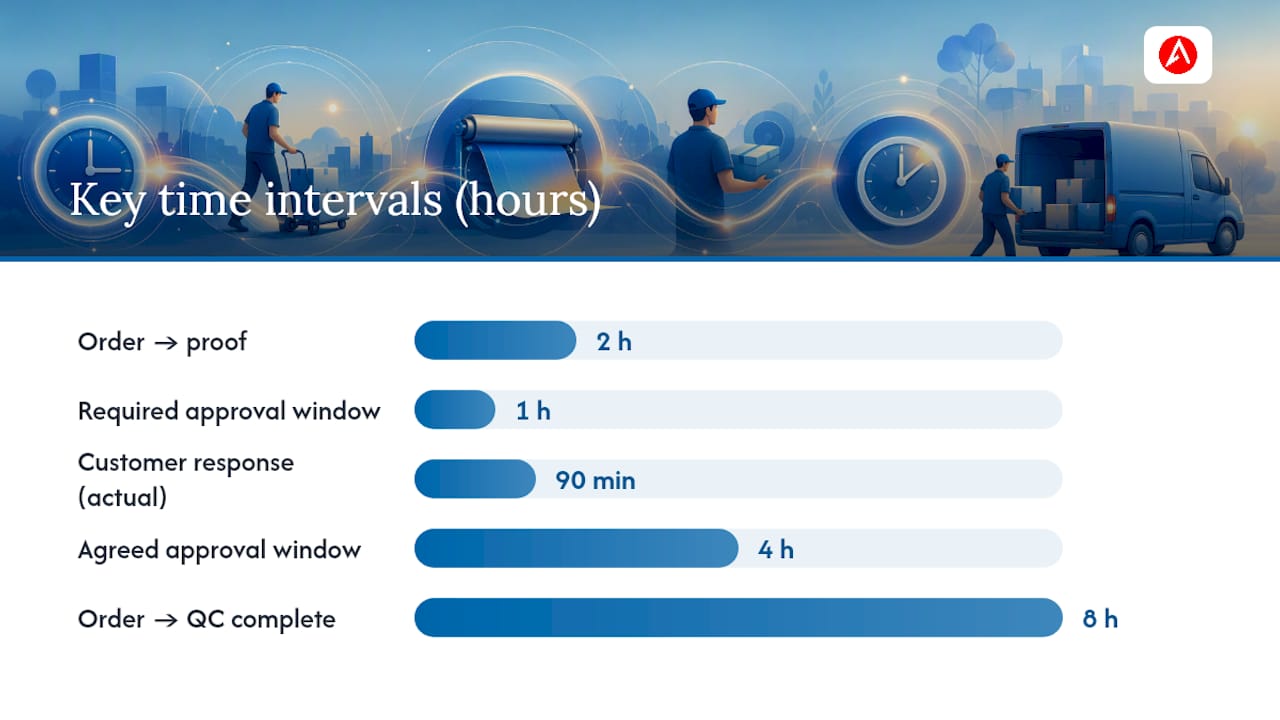
Proofing expectations: Assign one approver before you place the order. Rush proofs typically require approval within 4 business hours. If the shop sends a proof at 9:00 AM and you respond at 3:00 PM, you may have lost the press slot. Agree on the approval window in writing, and confirm whether the shop will proceed with production if no response is received within that window.
Pro Tip: Build a brand asset folder with your logo in AI and PNG formats, your Pantone color codes, approved fonts, and a sample print-ready file. Attaching that folder to every rush order cuts approval rounds significantly and keeps your colors consistent across products. Arrowhead Sign Company - Signs, Banners and Trade Show Displays’s proofing guide for custom signage walks through exactly what to check before submitting.
How does the rush-order workflow run inside the shop?
Understanding each stage helps you know where time is spent and who to contact when something stalls. A standardized digital printing workflow — covering intake, proofing, prepress, scheduling, and finishing — reduces rush errors and speeds jobs through the shop.
-
Intake (0–1 hour): The inside sales rep or order-entry team logs the job, confirms the in-hands date, verifies stock and press availability, and flags the order as rush in the production system. Tools like Printavo centralize quotes, approvals, scheduling, and task ownership so nothing falls through the cracks when jobs move faster than manual tracking allows.
-
Proofing (1–4 hours): A prepress operator builds the mock-up and sends it for customer approval. The clock starts the moment the proof is sent. For a 48-hour rush, a 4-hour approval window is the outer limit — anything longer compresses production.
-
Prepress (1–4 hours): After approval, the file goes through preflight (checking bleed, resolution, color mode), RIP processing, and screen or plate prep if needed. EFI’s Rush Print functionality moves a job to the front of the digital press queue and pauses other jobs — a useful tool when a single press handles both standard and rush work simultaneously.
-
Press production (1–8 hours): Actual print time varies by quantity, substrate, and method. A single vinyl banner may print in under an hour. A full run of fabric panels for a 10 ft stretch display takes longer, especially if multiple passes are needed for color density.
-
Finishing (1–48 hours): This is where deadlines most often slip. Cutting, laminating, hemming, grommeting, sewing pockets, and boxing all happen after the press, and each adds time. Mapping finishing like a manufacturing line and automating routing prevents finishing from becoming the bottleneck where the deadline is actually lost. Shops that schedule finishing early, before the press run even completes, consistently outperform those that treat it as an afterthought.
-
Final QC (30–60 minutes): A quality check confirms dimensions, color, finish, and quantity before anything is packed. The job is not done until it passes this step.
-
Packing and shipping/pickup (30–60 minutes): The shipping lead confirms the carrier, prints labels, and hands off to the driver — or stages the order for local pickup. Missing a carrier cutoff by 30 minutes can add a full business day to transit.
Scheduling in short blocks and running pre-production steps in parallel — for example, starting prepress while the proof is still with the customer — is one of the most effective tactics shops use to compress the overall timeline without cutting corners on quality.
What causes rush orders to fail, and how do you prevent it?
Most rush failures are predictable. Here’s where they happen and what stops them:
- Artwork problems: Low-resolution files, RGB color mode, missing bleeds, and live fonts account for the majority of delays. Prevention: use the file checklist above and run a preflight check in Adobe Acrobat or a dedicated preflight tool before uploading.
- Missing dielines: For shaped or folded pieces, a missing dieline means the finisher cannot cut correctly. Prevention: always include the dieline as a separate layer or file.
- Stock or blank shortages: The substrate you specified may be out of stock. Prevention: ask the shop to confirm material availability before you finalize the order, and agree on an acceptable substitute in advance.
- Finishing bottlenecks: Hemming, laminating, and sewing take longer than printing. Prevention: ask the shop how finishing is scheduled for your job and whether it runs in parallel with production.
- Proof-approval delays: A customer who takes six hours to approve a proof on a 24-hour rush has effectively made it a 30-hour rush. Prevention: assign one approver, keep them available, and confirm the approval window in writing.
- Carrier cutoffs: A job that ships at 5:30 PM when the carrier picks up at 5:00 PM ships the next day. Prevention: ask the shop for the daily carrier cutoff time and build it into your in-hands calculation.
- Unexpected reprints: A quality issue discovered after packing can add hours or a full day. Prevention: the shop’s post-production QC checklist is your best protection here.
Before placing a rush order, confirm:
- Art is final and print-ready
- You have a single approver available for the full business day
- You’ve agreed on an acceptable material substitute if the first choice is unavailable
- You understand the carrier cutoff and have built transit time into your in-hands date
How do you place a rush order without delays?
Follow this sequence and you give the shop everything it needs to meet your deadline.
- Lock your in-hands date first. Work backward: event time minus setup time minus transit time equals your required ship date. That ship date minus production time equals your order deadline.
- Prepare final art before you call. A rush order placed with “art coming soon” is not a rush order yet. The clock starts when the shop has a complete, print-ready file.
- Choose the right product for the timeline. If your in-hands date is three days out, a fabric display with sewing and hardware assembly may not be realistic. A vinyl banner or an outdoor banner frame is a faster path to the same visual impact. Check the quick turnaround banner guide for event-specific options.
- Confirm availability before submitting. Call the shop, confirm press time and stock, and get a verbal commitment before uploading files.
- Agree on the approval window in writing. Use language like: “I will approve the proof within 4 business hours of receipt. If no response is received within that window, please proceed with production as shown.” This protects both parties.
- Decide: local pickup or expedited shipping? Local pickup removes transit time entirely. If you’re in Arizona, Arrowhead Sign Company - Signs, Banners and Trade Show Displays offers direct venue delivery, which can shave a full day off the timeline. For out-of-state orders, overnight or two-day freight is the reliable option — and factor that cost into your budget before you commit.
- Provide a direct phone number for approvals. Email alone is too slow for a 4-hour approval window. Give the shop a cell number and confirm you’ll be reachable.
- Follow up in writing after every call. A quick email confirming the in-hands date, approval window, and shipping method creates a shared record and prevents miscommunication.
For readers who need last-minute design help alongside printing, Expedition’s print and graphic design services cover file preparation and urgent collateral production.
A real example: meeting a 48-hour in-hands date
Here’s how a coordinated rush order actually runs when everything goes right — and what happens when it doesn’t.
The scenario: A small business needs a vinyl banner, an outdoor banner frame, and a Signicade Deluxe A-Frame Sidewalk Sign for a pop-up event. In-hands date: Thursday morning. Order placed: Tuesday at 9:00 AM.
What the shop does:
- Confirms stock for all three items and flags the job as rush in the production queue
- Sends a staged proof by 11:00 AM Tuesday (banner first, since it’s the longest to print)
- Holds press time for 1:00 PM Tuesday, contingent on proof approval by noon
- Schedules finishing (grommeting the banner, assembling the frame hardware) for Tuesday afternoon, parallel to the press run on the A-frame graphic
- Completes QC and packing by 5:00 PM Tuesday
- Ships via overnight freight; customer receives Thursday morning
Where it almost went wrong: The customer’s logo file was RGB. The prepress operator caught it during preflight, converted it to CMYK, and flagged the color shift in the proof. The customer approved the adjusted version within 90 minutes. That 90-minute response kept the press slot.
What the customer agreed to: A 4-hour approval window, an acceptable material substitute for the banner substrate if the first choice was unavailable, and a single approver reachable by phone all day Tuesday.
Arrowhead Sign Company - Signs, Banners and Trade Show Displays applies this same model — rapid fulfillment, a post-production QC check before every order ships, and direct venue delivery for Arizona customers — to keep rush jobs on schedule without trading speed for quality. How booth graphics get printed covers the production steps in more detail for customers who want to understand what happens between file upload and delivery.
Key Takeaways
A rush print order succeeds or fails based on the in-hands date, file readiness, and a single fast-responding approver — everything else is execution.
| Point | Details |
|---|---|
| In-hands date drives everything | Work backward from your event time to set the order deadline, ship date, and production start. |
| File readiness is the first bottleneck | Submit print-ready files with correct bleed, CMYK color, outlined fonts, and 300 DPI resolution to avoid delays. |
| Approval speed is a production variable | A 4-hour approval window is standard for rush; a slow response can extend a 24-hour job significantly. |
| Rush surcharges are predictable | Expect +15–20% for 5–7 day priority up to +40–75% for 1–3 business day emergency service, plus expedited freight. |
| Arrowhead Sign Company ships fast | Arrowhead Sign Company - Signs, Banners and Trade Show Displays ships most products within two business days and offers direct venue delivery in Arizona. |
Why clear in-hands planning is the only way to run a rush
The conventional wisdom around rush printing focuses almost entirely on the printer’s speed. How fast can they print? How many presses do they have? Those questions miss the point. The real constraint in almost every rush order is the customer’s side of the workflow: late files, slow approvals, and vague deadlines.
A shop can print a vinyl banner in under an hour. What it cannot do is compress a six-hour approval cycle or manufacture a substrate that’s out of stock. The shops that consistently meet tight deadlines aren’t necessarily the fastest printers — they’re the ones with the clearest intake process, the most explicit approval SLAs, and the discipline to schedule finishing before the press run is even complete.
There’s also a subtler point worth making: rush orders are a stress test for a shop’s normal workflow. A shop that handles rushes well has, by definition, a well-organized standard process. When you’re evaluating a printer for an urgent job, ask how they handle rush orders specifically. The answer tells you more about their operational maturity than any equipment list.
For customers, the single most underrated preparation step is assigning one approver before placing the order. Not a committee. Not “check with the team.” One person, available by phone, with authority to say yes. That single decision removes the most common source of delay from the entire process.
Arrowhead Sign Company - Signs, Banners and Trade Show Displays: fast fulfillment for your next event
When your event is days away and you need displays that arrive on time and look sharp, Arrowhead Sign Company - Signs, Banners and Trade Show Displays is built for exactly that situation. Most products ship within two business days, and Arizona customers can arrange direct venue delivery to skip transit time entirely.
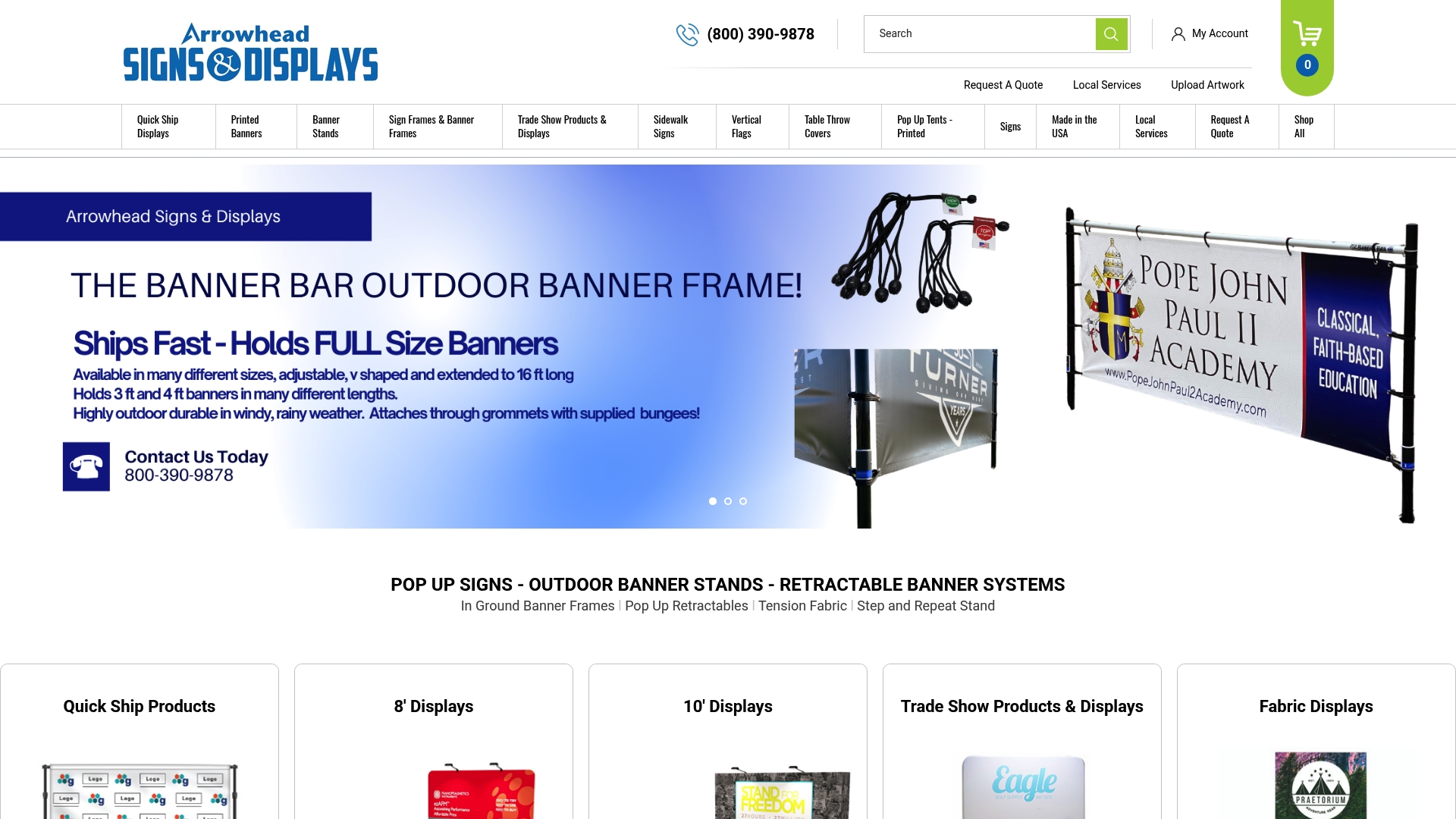
The fastest options for rush orders include the Outdoor Banner Frame - The Banner Bar for quick outdoor setups, the Signicade Deluxe A-Frame Sidewalk Sign for sidewalk and entrance displays, and the 10 ft stretch fabric display for trade-show backdrops that need to make an impression fast. Every order goes through a post-production QC check before it ships — because speed without accuracy isn’t fulfillment.
To start a rush order, upload your print-ready files at arrowheadsigncompany.com, or call directly to confirm availability and lock your in-hands date before submitting.
Further reading and useful sources
- Digital printing workflow for small print shops
- Q&A: How to Successfully Handle Rush Orders — Print & Promo Marketing
- How Embracing Rush Orders Can Improve Your Screen-Printing Workflow and Business
- Print production management software
- Rush order event displays for upcoming trade shows — PC Tech Magazine
- Modern Production Print Workflow: Scale Quality & Profit | 2026 | Automated Business Technologies
- Rush Orders: How Fast Can Custom Apparel Be Made? | French Press Custom
Recommended
- Rush Order Trade Show Banners: Fast Results That Impress - Arrowhead Sign Company
- Quick Turnaround Banner Printing Guide for Events - Arrowhead Sign Company
- How Trade Show Printing Works: A Planner’s Guide - Arrowhead Sign Company
- How Design Files Affect Print Cost for Exhibitors - Arrowhead Sign Company