

Signage Proofing: How Reviewing Files Prevents Costly Errors
Posted by Deeder Dandenhorf on Aug 23rd 2026
Signage Proofing: How Reviewing Files Prevents Costly Errors
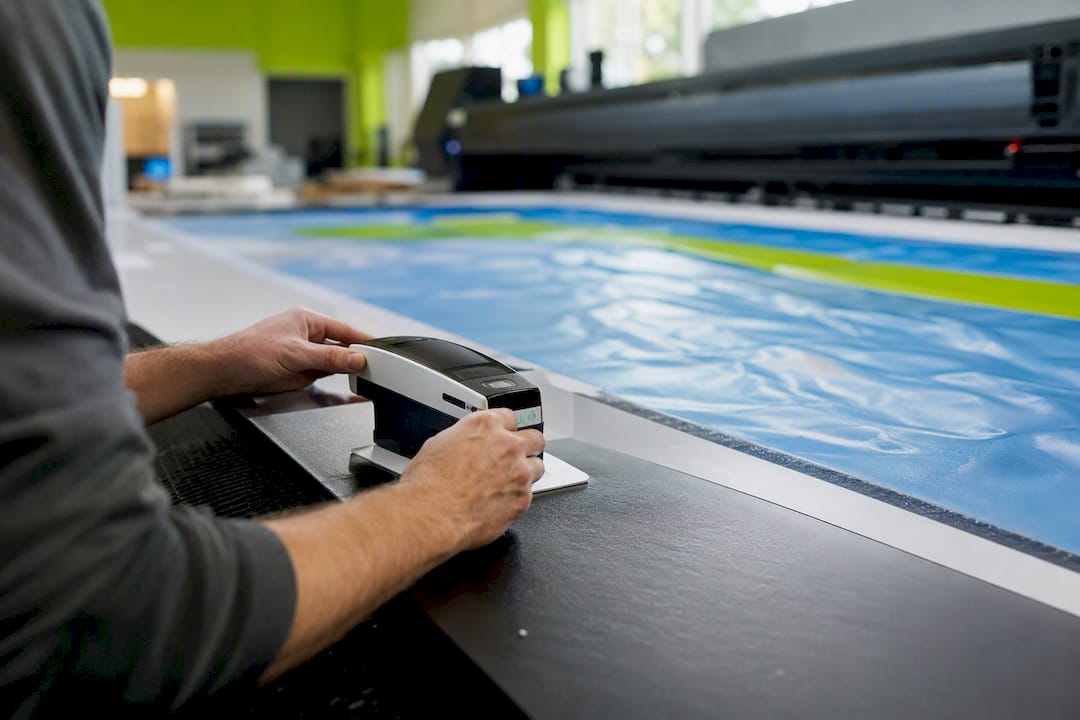
Signage proofing prevents costly and permanent errors by catching copy, color, layout, and material issues before production. A misspelled sponsor name on a soft proof is quick to fix. The same mistake discovered after a large banner ships costs a full reprint, rush shipping, and an apology to a client standing in front of a wrong sign. That gap is why proofing works: it applies source inspection (checking the file before anything prints), detection (catching errors that slip through), and control (approval gates that stop production until someone signs off).
The payoff shows up in three places:
- Fewer reprints, since color, resolution, and layout problems get flagged before the print run instead of after
- Preserved brand reputation, because customers, sponsors, and donors see the version you intended, not a rushed correction
- Correct legibility and safety, particularly for wayfinding, ADA-related signs, and anything installed at a distance or height
Pro Tip: Treat every signage order over $200 as brand-critical by default. The cost of a five-minute proof review never approaches the cost of a reprint.
Key Takeaways
Signage proofing prevents errors by combining source inspection, detection, and control gates that catch copy, color, and material problems before a job reaches full production.
| Point | Details |
|---|---|
| Names are highest risk | Verify every proper noun against an original document, not a forwarded email. |
| Match proof type to risk | Use soft proofs for low-risk jobs and hard proofs for brand-critical or permanent signage. |
| Document every approval | Require dated, written sign-off to protect both the client and the shop from disputes. |
| Catch errors early to save money | Fixing a mistake before production costs far less than reprinting after a run ships. |
| Arrowhead builds proofing into fast turnaround | Digital preflight and optional hard proofs run on every order without slowing the two-day fulfillment window. |
Table of Contents
- Why Signage Proofing Prevents Errors in the First Place
- How Proofing Prevents Errors: Prevention, Detection, and Control
- What Type of Proof Should You Request?
- A Practical Proofing Checklist for Signage Projects
- The Real Cost of Skipping a Proof
- How Arrowhead Sign Company Builds Proofing Into Every Order
- Sources
- FAQ
Why Signage Proofing Prevents Errors in the First Place
Proofing works because it inserts a human or digital checkpoint between “the file is done” and “the file is printed.” Skip that checkpoint, and the printer becomes your quality control system, which means the first person to catch an error is often the client unwrapping a finished banner. The importance of proofing signage comes down to timing: every error caught before the print run costs pennies, and every error caught after costs the full production run again.
Common Error Types Proofing Catches
Copy errors and misspelled names top the list of signage disasters, and for good reason. A sponsor’s name, a street address, or a donor’s title is exactly the kind of detail a designer might type correctly once and never verify against an authoritative source. Trade and supplier guides recommend written, dated approvals precisely because a name error on a permanent sign is difficult and expensive to undo.
Beyond copy, five categories account for most preventable signage mistakes:
- Color shifts from RGB design files to CMYK or Pantone print output, which can turn a brand blue into something noticeably off
- Low-resolution images that look fine on a laptop screen but pixelate badly once blown up to banner size
- Bleed and trim errors, where artwork doesn’t extend far enough to the edge or critical text sits too close to a drill hole or grommet
- Placement mistakes, including logos or text landing where mounting hardware or folds will cover them
- Material and finish mismatches, where a matte laminate or fabric substrate renders colors darker or duller than the digital mockup suggested
Large-format work amplifies every one of these. A hard proof reveals color, texture, and legibility problems that a screen simply cannot show, especially once you’re viewing a sign from 20 feet away under venue lighting instead of 20 inches away under office fluorescents. That’s the core reason signage quality control has to include a physical check, not just a digital one, for anything brand-sensitive or permanent.
How Proofing Prevents Errors: Prevention, Detection, and Control
Quality engineers have a name for the discipline behind proofing: poka-yoke, or mistake-proofing. The term comes from manufacturing, but the logic transfers directly to a sign shop’s workflow. Mistake-proofing uses methods that either make errors impossible or make them immediately obvious, and it operates through three distinct functions.
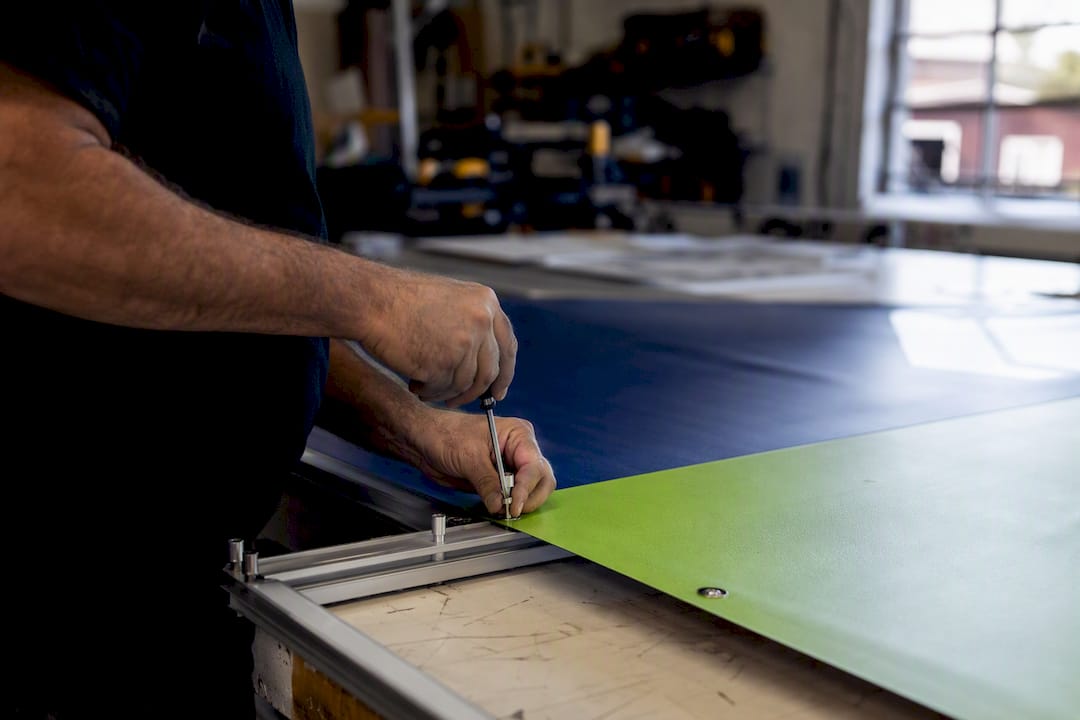
Prevention stops an error from occurring at all. A preflight check that automatically flags an RGB file before it reaches the printer is prevention.
Detection catches an error after it exists but before it causes damage. A designer noticing a wrong Pantone number during proof review is detection.
Control is the gate that halts the process until someone verifies the work. Requiring a signed approval before a job enters the print queue is control.
The American Society for Quality frames these as source inspection, warning functions, and control functions that stop defects before they reach a customer.
Applied to a sign shop, that framework looks like this:
- A preflight tool that rejects low-resolution files automatically (source inspection)
- A mandatory color flag on any file using unconverted RGB values (a warning function)
- A hard-proof sign-off requirement before a production lock releases the job to print (a control function)
- Distinct, versioned file naming so nobody accidentally prints “Banner_v2” instead of “Banner_v3_FINAL”
None of these tactics are expensive. That’s the point of mistake-proofing as a discipline: low-cost interventions applied at the source prevent human error from becoming a shipped defect, rather than relying on someone catching the mistake later through luck or a sharp eye. A color flag costs nothing to implement. A mandatory name-authority sign-off, where someone confirms a sponsor or honoree’s name against an original document rather than a forwarded email, costs a few minutes. Compare that against the alternative: a reprint, a missed event deadline, or a permanent sign with a name spelled wrong for years.
The reason these mechanisms matter together, rather than any single one alone, is that they cover both likelihood and impact. Prevention lowers how often errors happen. Detection and control limit the damage when something still slips through. A shop that only preflights but never requires sign-off still ships errors that a human missed. A shop that only requires sign-off but never preflights wastes an approver’s time reviewing color problems a machine could have caught in seconds.
What Type of Proof Should You Request?
Not every signage job needs the same level of scrutiny. The right proof type depends on how visible the sign will be, how permanent it is, and how much brand risk sits on the line.
- Soft (digital) proofs are the fastest option, delivered as a PDF or on-screen preview. Use them for copy and layout checks on lower-risk projects like temporary event signage, internal wayfinding, or anything you can reprint cheaply if something’s off.
- Hard (color) proofs are physically printed samples that show actual ink-on-substrate color, not a screen approximation. Request one anytime brand colors need to match exactly, since screen colors and printed colors diverge in ways that only a physical sample reveals.
- Substrate and finish samples matter when the material itself changes how a design looks. A logo that reads crisp on glossy vinyl can look muddy on a matte fabric backdrop, so anytime texture or finish is part of the brand experience, ask for a swatch before committing to a full run.
- Full-scale mockups apply to the highest-risk jobs: large trade show backdrops, donor recognition walls, or anything installed where legibility from a distance is the whole point of the sign.
A simple rule covers most decisions: if the sign is permanent, expensive, or carries a name that can’t be misspelled twice, request a hard proof. Everything else can usually move forward on a soft proof alone. For a deeper look at how this plays out on actual promotional signage jobs, see this small business guide to proofing custom signage.
A Practical Proofing Checklist for Signage Projects
An effective signage review process isn’t complicated, but it does need to happen in a consistent order every time, not just when someone remembers.
- Run a preflight check first. Confirm file type, color space (CMYK, not RGB), outlined fonts, image resolution at full print size, and bleed and safety margins before anyone looks at content.
- Verify every proper noun. Cross-check sponsor names, honoree titles, and addresses against an original document, not a forwarded email chain where a typo may already have traveled through three people.
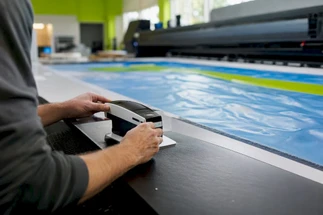
- Manage color deliberately. Use ICC profiles matched to your printer, confirm Pantone numbers rather than eyeballing swatches, and view proofs on a calibrated screen. For jobs where exact color match is contractually required, request spectrophotometer verification rather than relying on visual comparison alone.
- Route the file through a defined approval chain. Name the specific person authorized to approve each job, require dated written sign-off (an email reply with a timestamp counts), and store that record somewhere retrievable if a dispute comes up later.
- Apply a production gate on high-risk jobs. Require a hard proof and written acceptance before the full run starts. This is the control function doing its job: no sign-off, no production.
- Verify after installation. Check the finished sign in place, under real lighting, from the distance people will actually view it. A sign that looked correct on a proof sheet can still reveal a mounting or placement issue only visible once it’s hanging.
Pro Tip: Keep a simple naming convention like ClientName_ProjectName_v3_APPROVED so nobody on a fast-turnaround job accidentally sends an earlier draft to print. It sounds minor until it’s the reason a wrong file shipped.
This entire workflow scales with the size of the job. A single event banner might move through steps one, two, and six in under an hour. A permanent building sign or a donor recognition wall should move through every step with documentation at each gate.
The Real Cost of Skipping a Proof
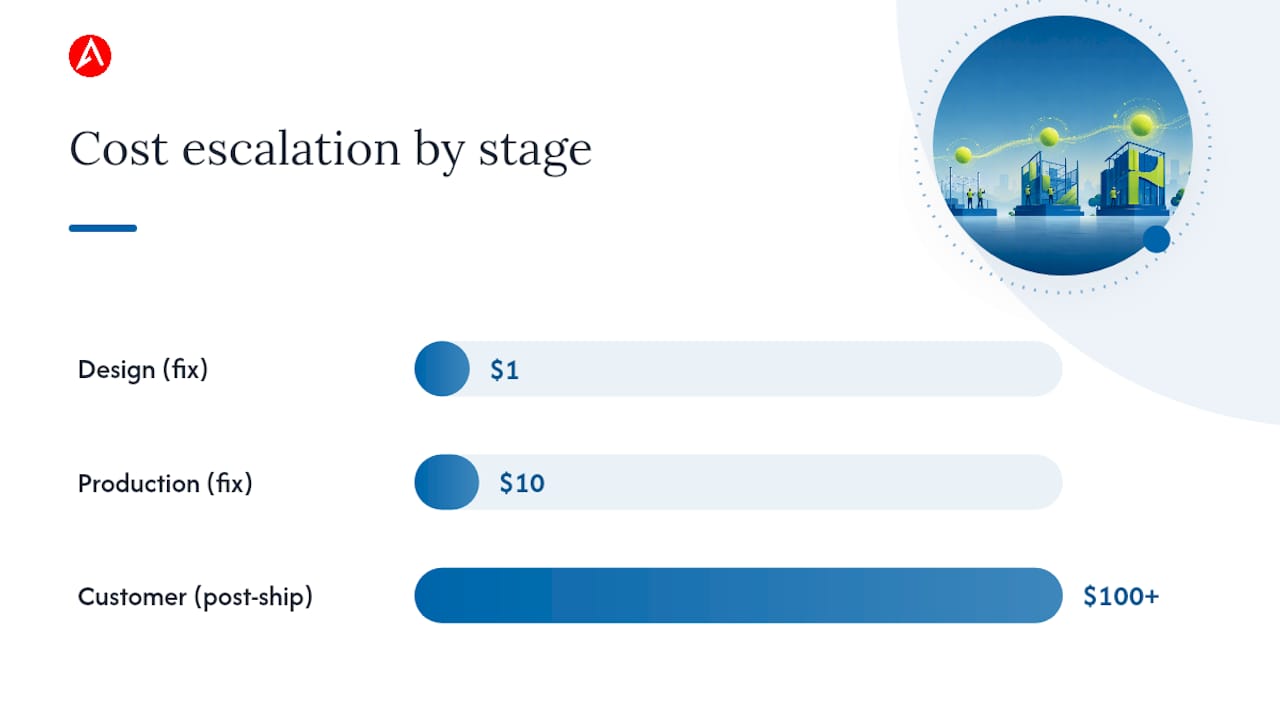
Quality professionals often reference the 1:10:100 rule to explain why catching an error early is so much cheaper than catching it late: a mistake that costs $1 to fix at the design stage costs roughly $10 to fix during production, and $100 or more once it reaches the customer. Prevention at the source is consistently the most cost-effective point to catch a defect, compared to catching it downstream or having a customer catch it for you.
For signage specifically, a reprint doesn’t just mean reprinting. It usually means:
- Re-fabricating the sign itself, including any mounting hardware already cut to spec
- Rush shipping to make an event deadline that’s now days closer
- Installation labor, paid twice if the crew already mounted the wrong version
- Possible venue penalties for late setup or a change fee if a vendor contract specifies deadlines
The intangible costs run just as deep. A misspelled donor name on a permanent plaque damages a relationship that took years to build. A wrong color on trade show signage undercuts the exact brand consistency the booth was designed to project. A quick way to judge whether a proof is worth the time: compare the proof’s cost, usually minutes of review or a modest hard-proof fee, against the full reprint cost if the error ships. On almost every signage job, that math favors the proof every time.
How Arrowhead Sign Company Builds Proofing Into Every Order
A proactive proofing process protects both budget and brand reputation, and Arrowhead Sign Company - Signs, Banners and Trade Show Displays builds that process into how every order moves through the shop, not as an optional add-on.
Every job passes through digital preflight before it touches a printer: color space, resolution, and bleed get checked automatically. Brand-critical or high-risk orders can request an optional hard proof, so you’re looking at real ink on real material before committing to a full run. Every approval gets documented, so there’s a clear record of what was signed off and when.
Fast turnaround only works when the file is right the first time. Catching a color shift or a misspelled name before it prints is what keeps a two-day fulfillment promise realistic instead of risky.
A few shop habits keep this reliable even under tight timelines:
- Consistent file-naming conventions so a “final” file is unmistakably final
- A markup convention for flagging color, copy, and placement concerns directly on the proof
- A delivery check comparing the shipped item against the approved proof before it leaves the building
Formalize Proofing Before You Need It
Most recurring signage errors trace back to the same root cause: no formal step required someone to stop and check. I’ve seen this pattern often enough to trust it as a rule, not an exception. Teams that build proof sign-off into project kickoff, rather than treating it as an afterthought once artwork is “done,” catch far more before it becomes expensive.
Getting stakeholder buy-in doesn’t require a big pitch. Ask whoever approves budget to also approve a five-minute proof review step, and put it in writing as part of the project scope from day one. Treat that signed proof as more than a formality. It’s documentation that protects you if a dispute comes up later about what was actually approved.
Request a Proof on Your Next Signage Order
Arrowhead Sign Company - Signs, Banners and Trade Show Displays is built around the same principle this whole article makes the case for: catching problems before they ship, not after. Every order runs through digital preflight, and you can request an optional hard proof on anything where color accuracy or brand consistency matters, all without slowing down the two-business-day fulfillment window most orders ship within.
The Signicade Deluxe A-Frame Sidewalk Sign is a good example of this in practice: a durable, reusable A-frame sign that gets the same proof-checked treatment before it ships, whether you’re using it for a single trade show or reordering prints for a recurring event. If you’re in Arizona, you also have the option of direct delivery to your venue instead of relying on shipping timelines you can’t control.
To request a proof on your next order, add a note at checkout or reach out before you finalize artwork. Most soft proofs turn around same day, and hard proofs typically add a short lead time worth building into your event schedule.
Sources
- Mistake proofing: changing designs to reduce error - PMC - NIH
- What is Poka-Yoke? Mistake & Error Proofing | ASQ
- Why proofs are important before having large signs made.
FAQ
What Is the Most Effective Way to Mistake-Proof a Process?
The most effective approach combines prevention (stopping the error from occurring, like automated preflight checks) with control functions that halt the process until a required check is complete, since prevention at the source is the most cost-effective point to catch a defect.
What’s the Difference Between Mistake-Proofing and Error-Proofing?
The terms are generally used interchangeably; both describe methods that make errors either impossible or immediately obvious, whether through design changes, warning signals, or approval gates.
When Should You Apply Mistake-Proofing?
Apply it as early as possible in a workflow, ideally before a file ever reaches a printer, since source inspection and warning functions are designed to stop errors before they become defects rather than after a product ships.
What Is Mistake-Proofing in Signage Production?
In signage, mistake-proofing means building checks like automated preflight, mandatory name verification, and required hard-proof sign-offs directly into the production process, the same approach Arrowhead Sign Company - Signs, Banners and Trade Show Displays applies to every order before it ships.
Do I Need a Hard Proof for Every Signage Order?
Not every order needs one. Request a hard proof for brand-critical colors, permanent installations, or anything with a name that can’t be reprinted twice; a soft digital proof is usually sufficient for lower-risk, temporary signage.